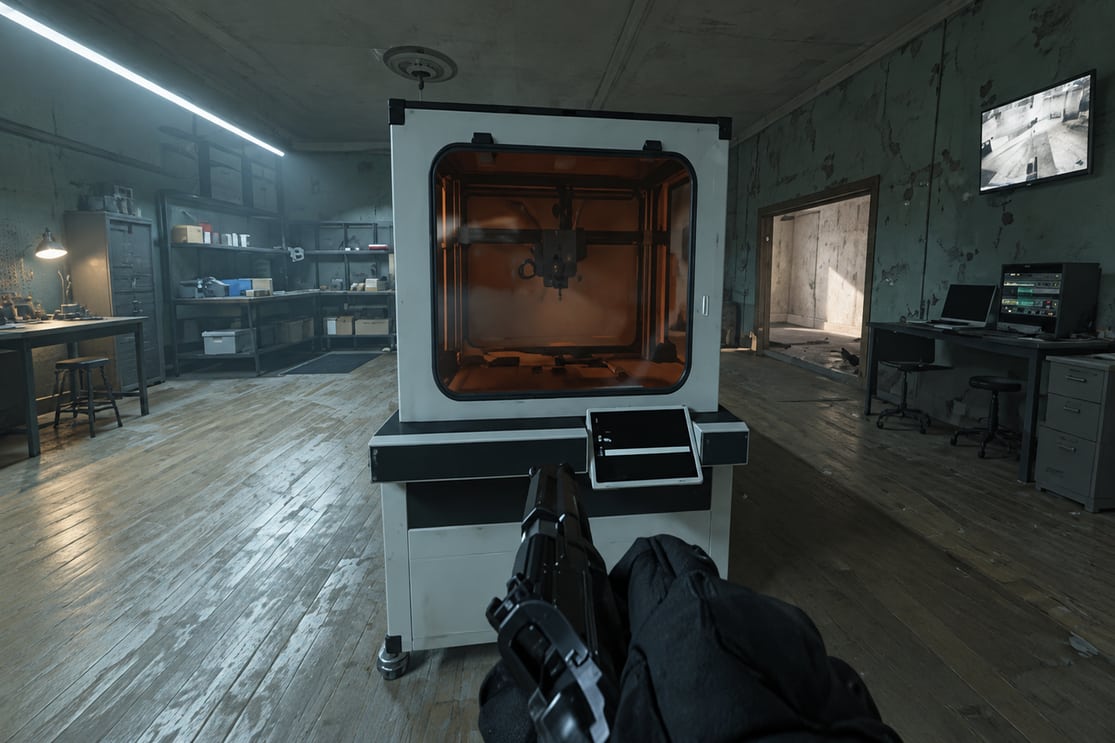
MW4 DMZ 3D Printer Guide: How to Find Recipes and Craft Gear
The most useful stop before a material run is the 3D Printer menu. Choose the equipment you want, check what is missing, and build the deployment around bringing those components home. In MW4 DMZ, the printer unlocks at DMZ Player Level 2 and supports equipment crafting and FOB upgrades.
A weapon preparation plan that includes Bot Lobby MW4 should identify the weapon intended for the next Hajin deployment, then check its level and available attachments. Weapon progression is shared between Multiplayer and DMZ, and compatible attachments unlocked through Multiplayer are available to use in DMZ. This gives you a concrete weapon setup to prepare alongside your printer equipment.
Keep the first crafting target narrow. Choose a backpack, an armor vest, or a supply of medical items, then record the missing materials. Trying to prepare several upgrades at once makes it harder to decide which loot deserves space during the run.
How to Unlock More 3D Printer Recipes
Recipes become available through three confirmed routes:
- Increasing your DMZ player level.
- Completing DMZ Orders.
- Finding a recipe during deployment and successfully extracting with it.
Extracted recipes are consumed and automatically added to the printer’s unlocked options. Successful extraction completes the unlock, so recovering a recipe should prompt you to reassess how much longer to remain in the field.
Check the route to your intended unlock before gathering materials for it. A progression reward calls for a different plan from a recipe you still need to recover.
DMZ has its own leveling track. Story Missions, Dynamic Operations, Side Ops, and other DMZ activities award progress within that track; Multiplayer and Warzone XP do not raise your DMZ level. Use the DMZ progression menu to identify upcoming crafting rewards.
Find Ingredients Through the Printer’s Tracking Tools
The printer lets you pin recipes and ingredients. Tracked ingredients display a pin icon when you encounter them during deployment, and ingredient entries can recommend areas to explore.
Use those tools to turn a broad looting session into a specific route:
- Select one craft. Choose something you expect to equip or use soon.
- Check the shortfall. Record only the materials still required.
- Pin the relevant ingredients. Keep your immediate objective visible.
- Inspect the location guidance. Choose a search area that fits your deployment.
- Set an extraction threshold. Decide whether completing the material list or recovering a new recipe ends the run.
Treat location guidance as a starting point for exploration. Avoid planning around a guaranteed drop unless you have a reliable source confirming that exact location and condition.
For a squad, agree on the target before deploying. A dedicated ingredient run becomes difficult to manage when each player keeps extending the route for a different objective.
Resources and Ingredients Fill Different Crafting Requirements
The printer uses Resources and 3D Printer Ingredients. Resources are Synthetics, Electronics, Chemicals, and Metals, automatically broken down from looted items. Ingredients are recovered materials such as Binding Catalyst, Biomaterials, Detonators, and Control Units.
Review both groups before leaving the FOB. A useful shopping list identifies the exact shortfall, rather than simply asking for “more materials.”
| What the recipe screen shows | How to plan the next run |
| Basic resources are short | Prioritize gathering the missing resource types |
| One named ingredient is missing | Use that ingredient’s location guidance |
| Several crafts need the same component | Choose which craft gets completed first |
| The selected craft is already affordable | Decide whether to print before collecting more |
The table is a planning aid. Use the live recipe requirements to determine quantities.
Choose Gear Around the Next Deployment
Equipment preparation should address a specific problem. Review your previous run and identify where the loadout fell short.
Backpack space for a material run
Backpacks expand carrying capacity, making them relevant to deployments focused on collecting supplies.
If you repeatedly abandon wanted ingredients because the inventory is full, review your available backpack recipes before starting another long collection route. Set a realistic shopping list for the space you intend to bring.
Protection for an objective run
For a deployment that requires you to remain near a dangerous objective, compare your available armor options and budget a replacement kit. Keep enough materials available to prepare another attempt if the first run fails.
Avoid spending the entire reserve on equipment you have no immediate plan to use. A finished loadout for tomorrow’s objective deserves a clear place in the budget.
Medical supplies for repeated attempts
Estimate what you used during recent runs, then craft a modest reserve. Increase that reserve when repeated deployments justify it. This gives batch crafting a practical purpose and keeps materials available for other projects.
The printer supports crafting multiple copies and lets you send completed items to your Stash or directly to your Operator. Check the quantity and destination before confirming.
Prepare the Weapon Budget Before an Ingredient Run
Before a dedicated ingredient run, players who buy CoD MW4 DMZ Cash can allocate part of that currency to a replacement weapon from the unlocked FOB Vendor, then prepare the backpack and medical supplies for the route. The Vendor accepts DMZ Cash for weapons and equipment, providing a defined preparation expense alongside the crafting plan.
Write the deployment plan in one line: collect the remaining ingredient for the chosen craft, follow a manageable search route, and extract once the target is complete. Keep optional objectives separate so they do not quietly turn a short supply run into an expensive equipment loss.
After returning, store the recovered materials, reopen the selected recipe, and check the updated shortfall. Print the item if it is ready. If a component is still missing, pin that ingredient and use its location guidance to choose the next search area.